The Home of Pro Audio Excellence. We deal in a number of high end pro audio products from Merging Technologies, Trinnov, Vanguard Audio Labs and more.
Speaker Sets and NOVA as a Monitor Controller
10 November 2023

Find out how NOVA can be used with multiple speaker sets, control surfaces, and as a monitor controller.
NOVA and Loudspeakers
Studio Monitors/Speakers
NOVA is extremely flexible.
Long story short, you can connect speakers any way you like, and you can mix I/Os with no limitation. The number of Optimizer licenses (maximum of 6) only limits the number of speakers that can be used simultaneously, not the number of speaker systems you can use with NOVA.
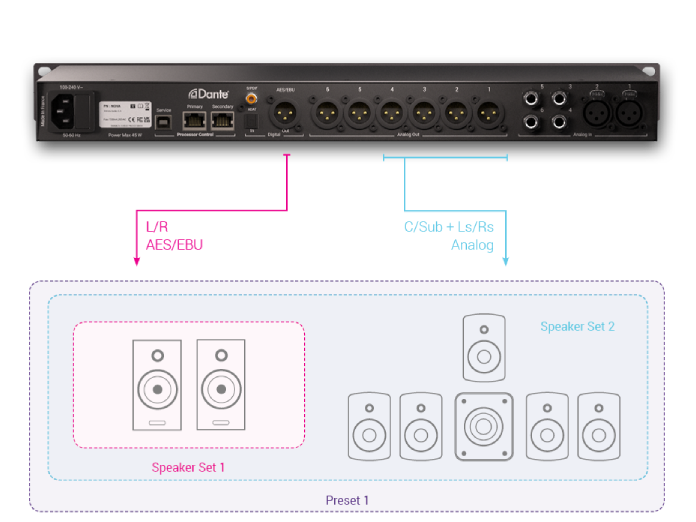
In this first example, we have a pair of monitors with digital inputs connected via the AES/EBU outputs for our L/R, mixed with 6 analog outputs for a secondary 5.1 setup.

Note that in this scenario, you would need to set up 2 presets: one stereo and one 5.1 to be able to commute between each speaker set. That’s because the limitation is 6 simultaneous Optimized speaker outputs.

Another possibility is to rely on Dante and insert NOVA in the monitor signal path.
Given that NOVA features 16 I/O in Dante, you could replicate the first example. Run one stereo preset as well as a secondary 5.1 preset. Or more.
You can download Dante software from the Audinate website.
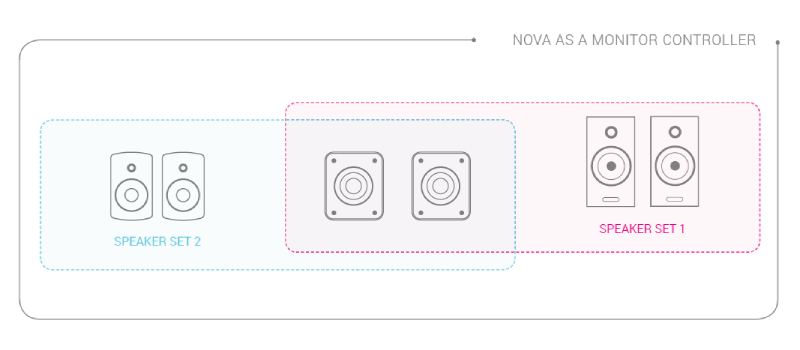
If you need to switch between stereo and 5.1 instantaneously it is even more simple. You simply need to share left and right speakers between both setups.
Each setup is declared separately as what we call a “speaker set” in the interface.
Subwoofers
Subwoofers can be connected with the same flexibility as loudspeakers. And they can also be shared between different speaker sets, which is a very intriguing feature.
You could run your main 2.2 system and share the 2 subwoofers with your secondary speaker set. That way, you can drive 2x 2.2 systems simultaneously and acoustically optimized.
You could also disable bass management or even create 2.0 speaker sets to switch the subwoofers on and off.
Non-Optimized Speakers
NOVA lets you declare non-Optimized speaker sets in case you have maxed out the number of optimizer licenses with your primary studio monitors.
Non-optimized speaker sets are typically used for the occasional Auratone.
NOVA and Monitoring Controllers
NOVA as a Monitor Controller
For those not familiar with the concept of a monitor controller, this is more or less the remote control of your studio.
That’s the device you will use to switch between your different sources or change from one speaker set to another. More importantly, that’s the box you use to adjust your listening level or to mute your speakers in panic mode.
To integrate NOVA into your studio as a monitor controller, all you need to do is make sure your different sources and speaker sets include the right connector for NOVA.
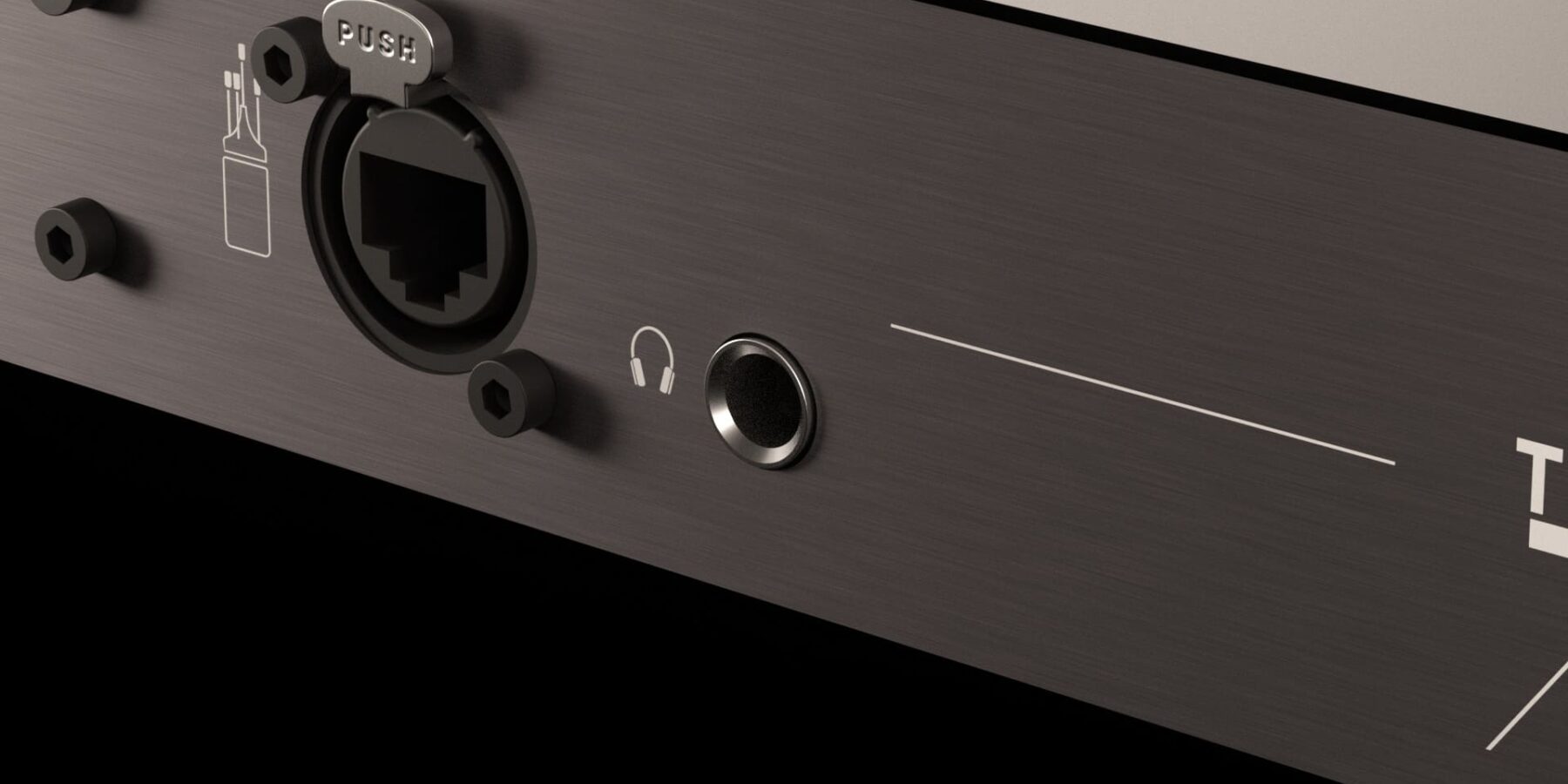
As a reminder, here is the rear panel of NOVA with all the I/Os.

Once everything is connected, you just need to follow the configuration wizard to declare each source and speaker set.

To make it easier, there is a real-time graphic showing the connector for any I/O you select in the interface.
Note you do not need a permanent network connection to NOVA if you use our own hardware controller La Remote. Indeed, La Remote can be connected to NOVA directly via its USB port allowing you to control and customise everything.
The same goes with an external monitor controller, but without the information feedback from NOVA.
NOVA and Control Surfaces
If you are using an AVID control surface and would like to control the listening level from the monitoring section of an S5 or S6, then you need to use EUCON.
NOVA is compatible with the EUCON protocol via the Trinnov desktop application, which operates as a gateway on your network.
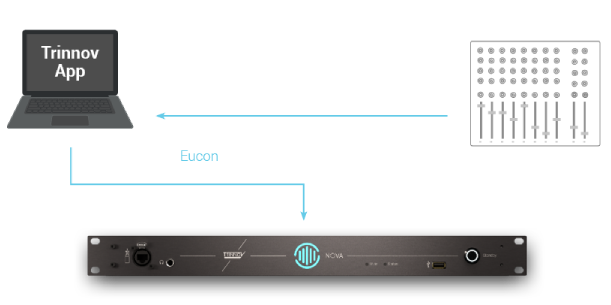
This setup requires a permanent network connection as EUCON works over the network.
NOVA as a Stand-Alone Optimizer
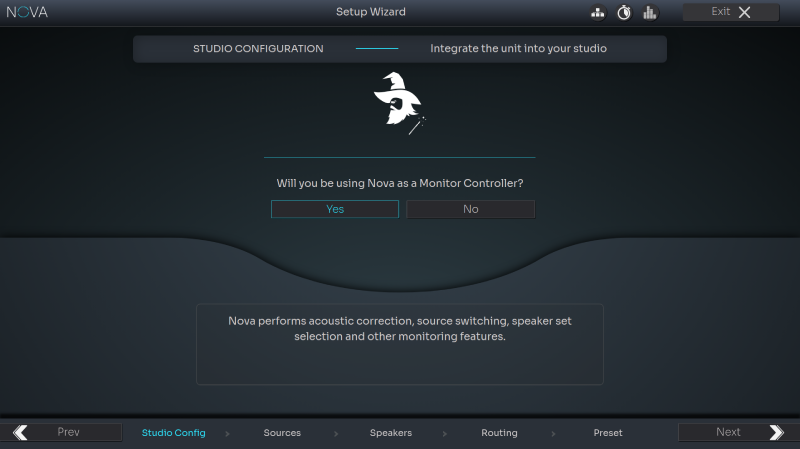
In case you want to use an external monitor controller with NOVA, select “No” on the first page of the configuration wizard.
In this rare case, NOVA becomes a stand-alone speaker Optimizer operating as a black box between your monitor controller and loudspeakers.
The configuration is easier. Instead of declaring sources and speaker sets, you only need to perform input and output routing. This makes sure the feeds from the monitor controller are picked up on the right inputs and speakers are connected on the right outputs. Besides basic routing, you also need to specify which input is used for the LFE channel and which outputs are used for subwoofers.
Note, if you decide not to use NOVA as a monitor controller, you lose the ability to share subwoofers and speakers between different speaker sets.


The alternative is to connect NOVA before your monitor controller. However, this implies that you use only one source. Furthermore, you would have to switch both your input and output from the monitor controller during calibration for multiple speaker sets.
For more information on the Trinnov NOVA, click below.
-
Product on sale
 Trinnov NOVA£4,250.00 (£3,541.67 ex VAT) – £6,999.00 (£5,832.50 ex VAT)
Leading the way
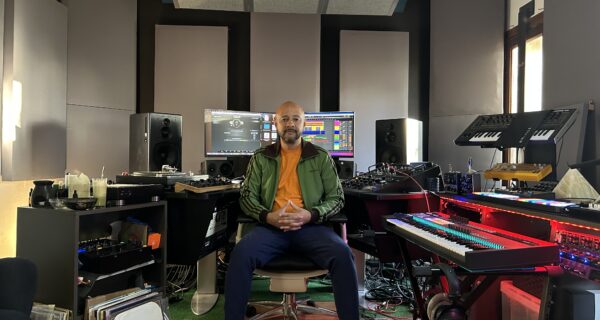
Shining a spotlight on the industry, identifying who uses our products. Continue to read more of our user stories.
User Stories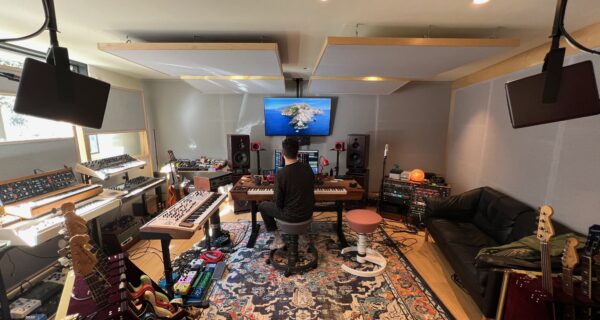

Latest News

NOVA goes Atmos: Trinnov’s Biggest Update Yet
Trinnov has released software version 2.1.3 for NOVA and it’s a significant one. The headline…


